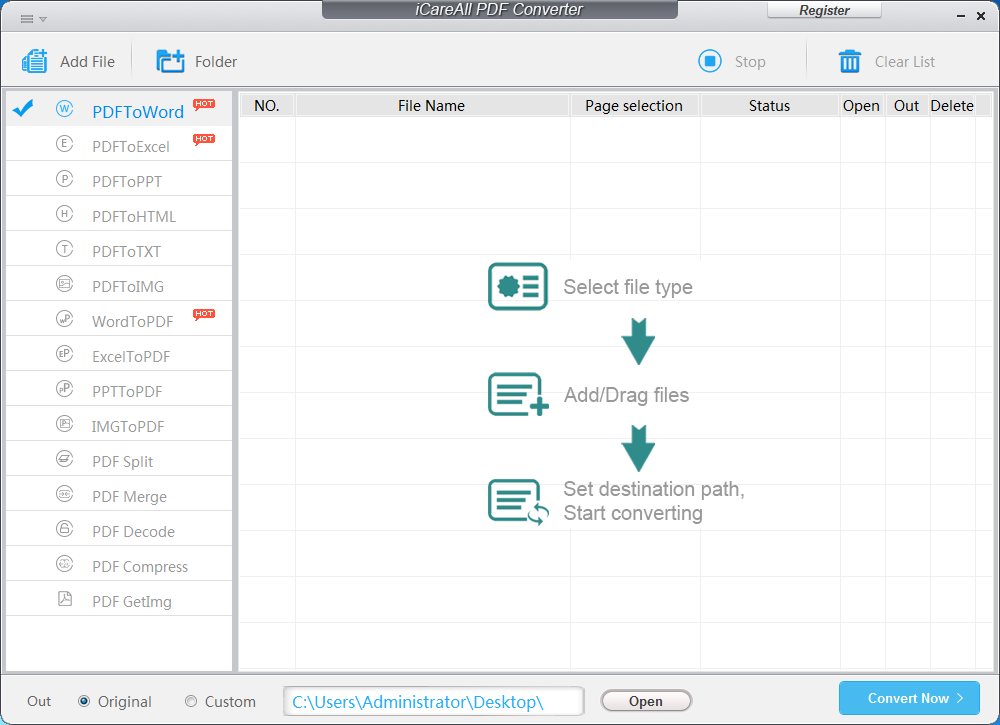
Large Screenshot
Width: 1000*
Url: https://www.icareall.com/product/img/pdf-converter-1000.png
Width: 1000*1000
url: https://www.icareall.com/product/img/pdf-converter-box-1000.png
Product and its download information:
please visit: https://www.icareall.com/pdf-converter/
PII 667MHz, 128M RAM
Convert PDF to Word Excel JPG with iCareAll PDF Converter for Free
iCareAll PDF Converter Overview
iCareAll PDF Converter is an easy-to-use PDF converting program that can help you convert PDF to Word, PPT, Excel and text documents, HTML, images and the like files, and also change these files with different formats back to PDF with ease and high efficiency. Hence, if you or your friends around really need such software, it could be a must try.
The Highlights of iCareAll PDF Converter
In order to meet the needs of different users all over the world, iCareAll PDF Converters are designed and developed with many useful features.
Here are the major ones for you:
1). Convert files with fast speed and simple three clicks.
2). Change PDF to any file format and any to PDF with high quality.
3). Process more than 1000 files with its batch mode at a time.
4). Merge or cut PDF files with ease.
5).Support all Word, PDF, PPT, Excel, Image, Text, HTML and more file formats.
6). Support Windows XP, Windows Vista, Windows7, Windows 8, Windows 10 and more Windows OS.
In conclusion, iCareAll PDF Converter is really a worthwhile program for you to do PDF conversion smoothly.
How to Use iCareAll PDF Converter for Free?
Follow the simple steps to convert your files with iCareAll PDF Converter for free:
Step1. Download and launch this software on your PC.
Step2. Pick a file conversion type from the left panel and upload all needed files on the right panel.
Step3. Allocate a different folder or drive and start to convert the selected files.
Go read more information here: https://www.icareall.com/pdf-converter/
Home > Product > PDF Converter > PDF Converter Materials